使用TS前准备
安装TS (sudo) npm i typescript -g
新建TS项目文件夹,在文件夹下执行tsc --init和npm init -y后生成tsconfig.json和package.json
测试TS运行是否正常,新增测试文件src/index.ts
const hello = '可待'console.log(hello);
进行编译 tsc ./src/index.ts成功生成index.js文件
var hello = '可待';console.log(hello);
为了方便使用,不用每次编写都使用tsc手动编译,我们要将项目工程化
工程化
安装工程化包
webpack:统一编译
webpack-cli:为了使用webpack的一些命令
webpack-dev-server:更新后不用刷新,自动刷新
ts-loader:ts编译规则
typescript:使用typescript语言特性
html-webpack-plugin:打包的文件直接输出HTML文件
npm i webpack webpack-cli webpack-dev-server ts-loader typescript
html-webpack-plugin -D
配置build/webpack.config.js
1
2
3
4
5
6
7
8
9
10
11
12
13
14
15
16
17
18
19
20
21
22
23
24
25
26
27
28
| const HtmlWebpackPlugin = require('html-webpack-plugin')
module.exports = {
entry: './src/index.ts',
output: {
filename: 'app.js'
},
resolve: {
extensions: ['.js', '.ts', '.tsx']
},
devtool: 'cheap-module-eval-source-map',
module: {
rules: [{
test: /\.tsx?$/i,
use: [{
loader: 'ts-loader'
}],
exclude: /node_modules/
},
]
},
plugins: [
new HtmlWebpackPlugin({
template: './public/index.html'
})
]
}
|
记得添加宿主文件/public/index.html
1
2
3
4
5
6
7
8
9
10
11
12
13
14
15
| <!DOCTYPE html>
<html lang="en">
<head>
<meta charset="UTF-8">
<meta name="viewport" content="width=device-width, initial-scale=1.0">
<meta http-equiv="X-UA-Compatible" content="ie=edge">
<title>Ts使用</title>
</head>
<body>
<div id='app'></div>
</body>
</html>
|
修改 package.json 添加项目启动命令
1
2
3
| "scripts": {
"dev": "webpack-dev-server --config ./build/webpack.config.js"
},
|
启动项目 npm run dev
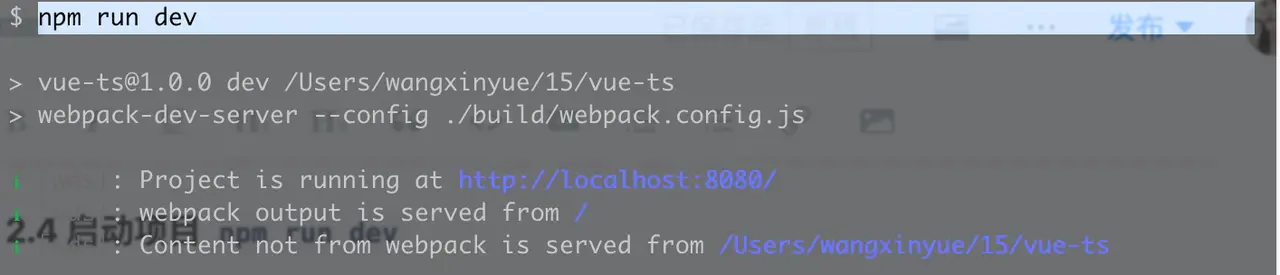
启动成功,后访问http://localhost:8080/
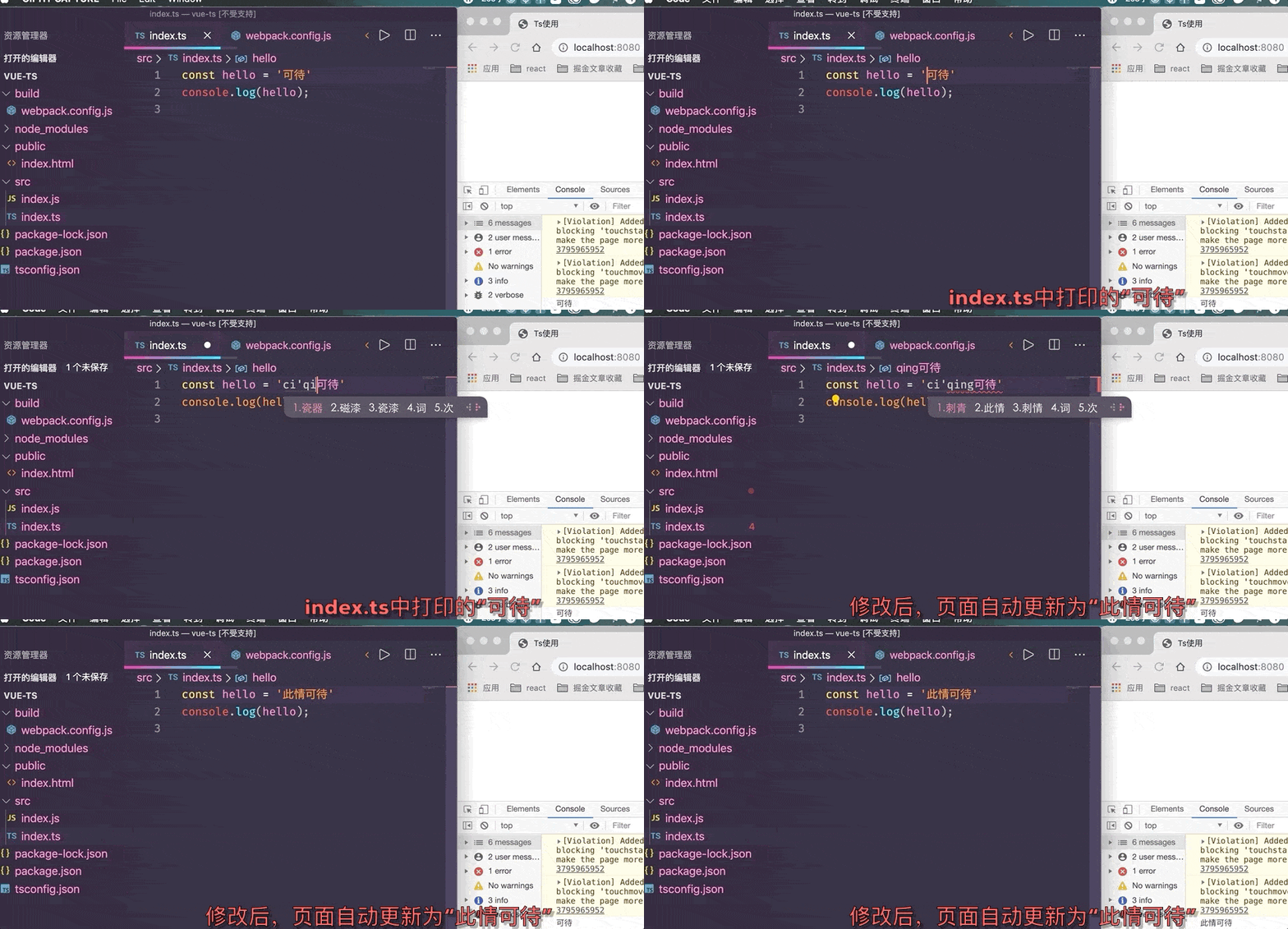
TS语法
类型语法
类型注解

类型推断
如果有初始值则根据原始类型推断类型原始类型:string、boolean、number、symbol、undefined、null

数组类型约束

函数约束(参数约束):返回值约束
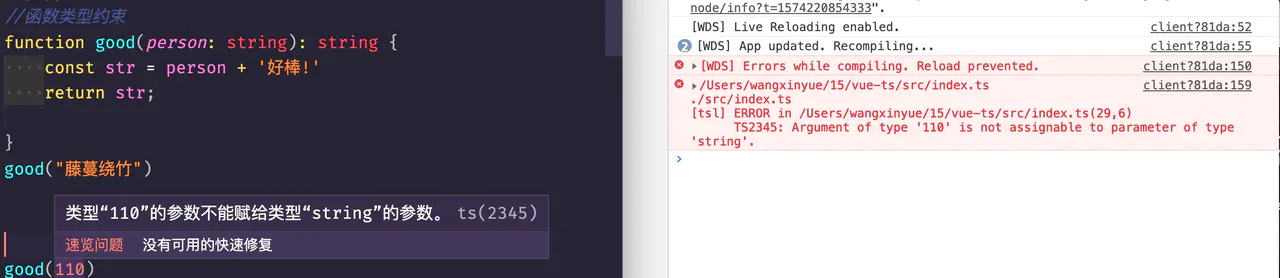

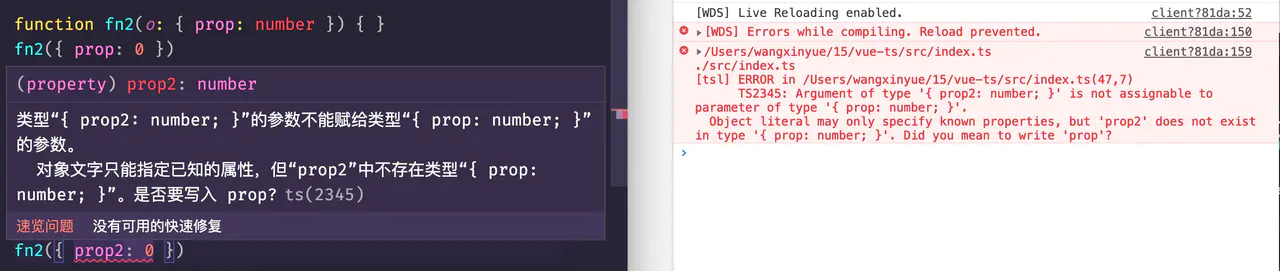
可使用自定义类型写对象参数
1
2
3
4
|
type Prop = { prop: number }
function fn3(o: Prop) { }
|
任意类型(此类型多用于数组)
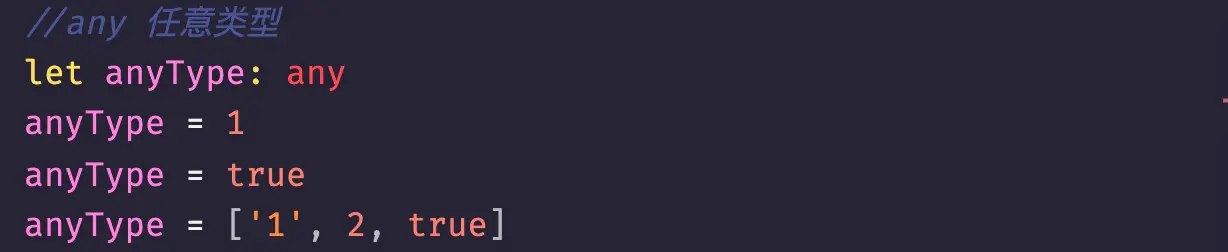
类型断言as语法,无错误类型提示

联合类型(可以是…也可以是…)
交叉类型(可以复用自定义类型)
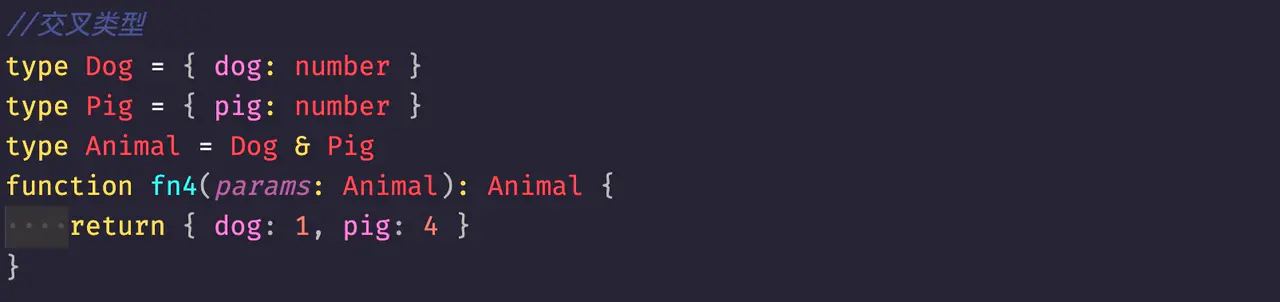
3-2-1
函数语法
函数必选参数
1
| function good(person: string): string { return person + '好棒!'}
|
函数可选参数 ?
1
| function good(person: string, msg?: string): string { return person + '好棒!'}
|
函数的重载
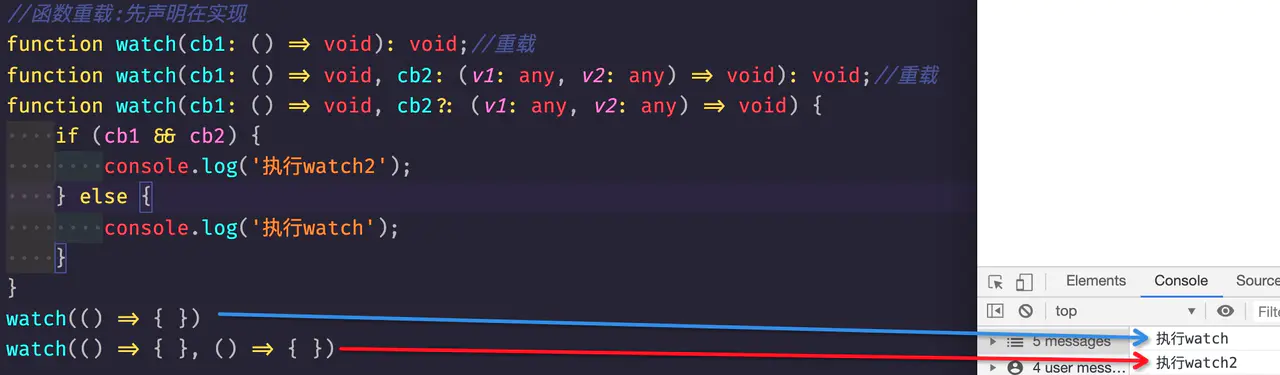
Class
1
2
3
4
5
6
7
8
9
10
11
12
13
14
15
16
17
18
19
20
21
22
| class Parent {
private _dong = "dong";
protected bar = "bar";
constructor(public tua = "tua") { }
private someMethod() { }
get dong() {
return this._dong;
}
set dong(val) {
this._dong = val;
}
}
class Child extends Parent {
baz() {
this.dong;
this.bar;
this.tua
}
}
|
接口
接口和type区别:https://www.cnblogs.com/EnSnail/p/11233592.html
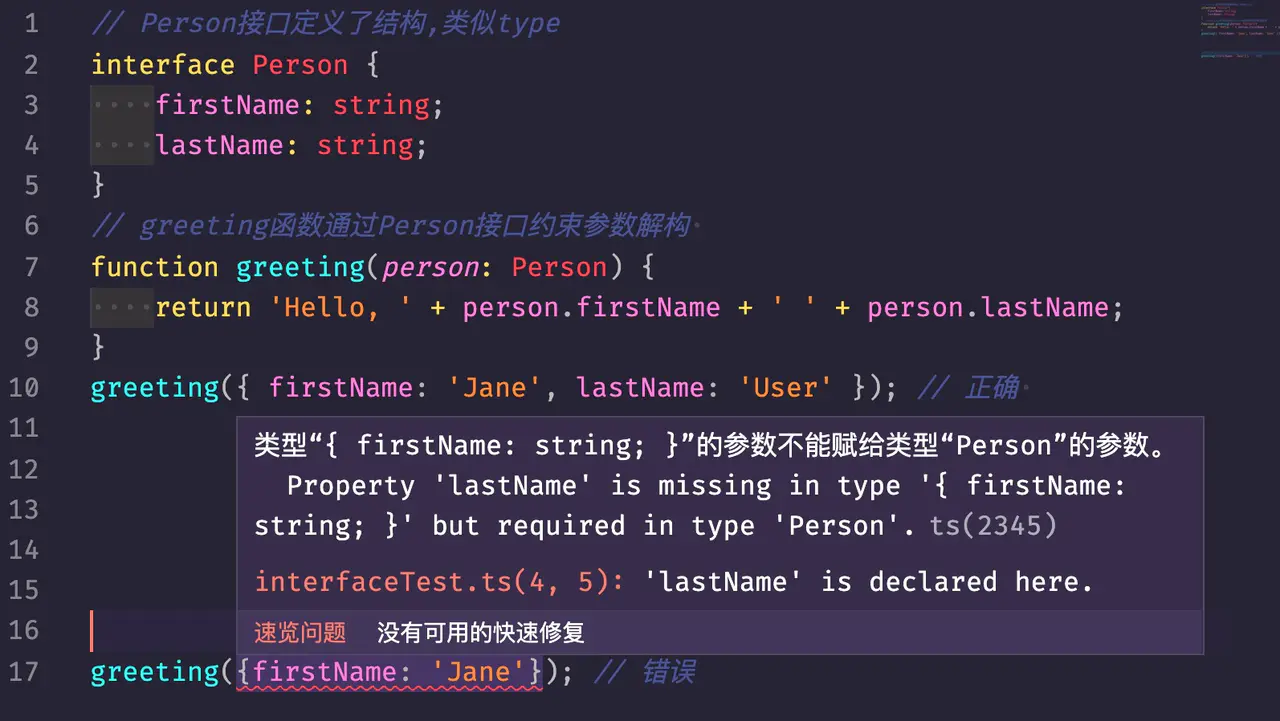
泛型(动态约定类型)
泛型(Generics)是指在定义函数、接口或类的时候,不预先指定具体的类型,而在使用的时候再指定 类型的一种特性。以此增加代码通用性。
1
2
3
4
5
6
7
8
9
10
11
12
13
14
15
16
17
18
19
20
21
22
23
24
25
26
|
interface Result<T> {
ok: 0 | 1;
data: T;
}
function getResult<T>(data: T): Result<T> {
return { ok: 1, data };
}
getResult<string>('hello')
getResult(1)
interface Foo {
foo: string
}
function getResult2<T extends Foo>(data: T): Result<T> {
return { ok: 1, data };
}
getResult2({ foo: 'foo', bar: 'bar' })
|
拓展Vue中使用TypeScript
https://juejin.im/post/6844904001964605454